
Skip to content
Off the Cusp

Off the Cusp

Dental industry news, trends and information from Patterson Dental.

Menu
  • Home
  • Categories
    • Business of Dentistry
      • Dental Practice Marketing
      • Practice Finance
      • Practice Growth
    • Dental Industry News
      • Industry Events
    • Dental Practice Management
      • Human Resources
    • Dental Practice Safety
      • Infection Control
    • Future of Dentistry
      • Dental Equipment
      • Dental Technology
      • CAD/CAM
  • About
    • Off The Cusp Privacy Policy
    • Off The Cusp Terms of Use
  • pattersondental.com
  • Home
  • Eaglesoft
  • What’s New in Eaglesoft Version 25.00
Eaglesoft

What’s New in Eaglesoft Version 25.00

Patterson Dental Patterson DentalDecember 23, 2025December 23, 2025

Share

Facebook
Twitter
Pinterest
LinkedIn
Email
Read Time:4 Minute, 1 Second

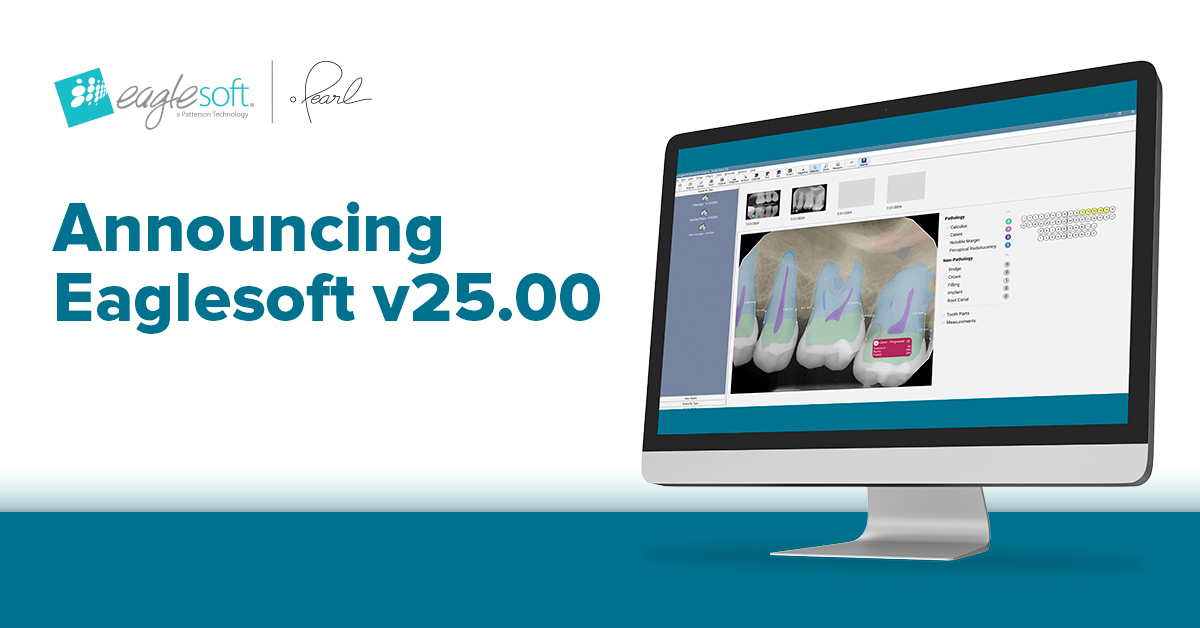
Eaglesoft version 25.00 is now available, bringing you enhancements designed to improve clinical workflows, streamline administrative tasks, and ensure compliance with the latest industry standards. Read more to find out what’s new in this version of Eaglesoft and why it matters for your practice.

What’s new in Eaglesoft version 25.00?

eServices Integrations

1. Pearl Second Opinion Update in Eaglesoft Advanced Imaging

Eaglesoft 25.00 introduces dynamic enhancements to Pearl AI annotations in Advanced Imaging, allowing you to flip, mirror, and rotate images while maintaining accurate diagnostic overlays.

When making post-capture edits to an image, the updated image is automatically sent to Pearl Second Opinion. This ensures image consistency between both Eaglesoft and Pearl. After the image is sent to Pearl, you will see a ‘new PearlAI results pending’ message in red on the image until the new results are ready.

New Image Analysis

Pearl will update the image with the new analysis, which may look different from what was saved before. If there is a problem sending or receiving the updated image, Eaglesoft will still show the latest annotations without any error messages.

Figure 1: Image after post capture edits
Figure 2: Image with new analysis from Pearl

2. eClaim Updates

Eaglesoft now bypasses the ‘In Process’ status for eClaims and Pre-Authorizations that are submitted electronically to DentalXChange. What this means for you:

  • Existing ‘In Process’ claims remain unchanged.
  • You can still filter and view claims in the ‘In Process’ status.
  • No reports will be returned from DentalXChange after a claim is submitted.
  • Rejected claims must be closed and recreated for resubmission.

Feature Enhancements

1. Enhanced Appointment Display Options

Managing patient appointments just got more informative. New fields have been added to both the Appointment Detail Popup and Appointment Display Layout, giving front office staff a clearer snapshot of patient and account information. These fields are also available in the Print Tab, which can be customized to be different than the screen layout.

New fields added to the Appointment Detail Popup within the setup menu include:

  • Primary, Secondary, and Supplemental Employers
  • Primary, Secondary, and Supplemental Insurance
  • Patient and Account Balances
  • Work Phone Extension (next to the existing work phone field) NOTE: If no extension is present in Edit Patient, no Ext will appear on the Appointment Detail

New fields added to the Appointment Display (OnSchedule, Setup, Appointment Display Information/ Layout Field) include:

  • Primary, Secondary, and Supplemental Employers
  • Primary, Secondary, and Supplemental Insurance
  • Patient and Account Balances
  • Work Phone Extension
  • Appointment Type

2. Revised ADA 2024 Dental Claim Form

Eaglesoft 25.00 now supports the ADA 2024 Dental Claim Form with the Approved OMB No. 0938-1471 (Form CMS-10883). This ensures providers can submit claims to Medicare using the latest approved format. This will print on both the ADA 2024 and Blank ADA 2024 paper claim forms only.

System Optimization and Security

Other improvements and fixes are included in this release to provide more seamless functionality in your practice:

  • Large Address Aware enabled by default for better memory usage on each machine
  • Upgrade to .net 4.8 Framework
  • Resolved Vyne claim remarks disappearing after re-opening change answers
  • Resolved tooth numbers added to incorrect procedure lines when printing claims
  • Resolved DataShare Error when accessing Smartdoc
  • Addressed previously usable Smart Code configurations in service codes no longer saving
  • Resolved error attempting to assign default scanner with no twain driver installed
  • Fixed error ‘Could not update toolbar registry!’ when resetting the toolbar in Advanced Imaging

UPGRADE TO EAGLESOFT 25.00 TODAY

From smarter imaging to enhanced workflows, the Eaglesoft 25.00 release is set to make a meaningful impact in your dental practice. If you are an Eaglesoft Service Club member, your upgrades are always free. We strongly encourage all dental practices using Eaglesoft to upgrade. 

Upgrade to Eaglesoft version 25.00 today and contact our support team via Live Chat if you have any questions.

Enjoy up to $1,800 in savings per upgrade!

If you are not an Eaglesoft Service Club member and would like to receive free, unlimited access to software upgrades and our support team, contact an Account Management Specialist at 800.397.8191 to sign up for Eaglesoft Service Club.

Limited Time Offer for New Pearl Customers Only! 

Get Pearl AI FREE for 60 days when you upgrade to Eaglesoft 25.00.*

*Offer valid for new Pearl customers using Eaglesoft version 25.00. Promotion applies only to Pearl Second Opinion. The first 60-day free offer begins once Pearl is activated. After the first 60 days, the standard subscription rate of $349/month will be charged. No contract term or commitment required. Practices receiving reimbursement from federal or state healthcare programs are not eligible.

Patterson Dental

About Post Author

Patterson Dental

At Patterson Dental, we are committed to partnering with dental practices of all sizes to help oral health professionals practice extraordinary dentistry. We do this by living up to our promise of Trusted Expertise, Unrivaled Support every day.
https://www.pattersondental.com/
Total
0
Shares
Share 0
Tweet 0
Pin it 0
Share 0

Post navigation

Previous

Previous post:

Providing Optimal Care to Your Patients Following Tooth Extraction

Subscribe

* indicates required

Recent posts

  • What’s New in Eaglesoft Version 25.00
  • Providing Optimal Care to Your Patients Following Tooth Extraction
  • 4 Must-Do Steps to Prepare Your Practice for the New Year
  • Manufacture vs. Assemble: Why it matters
  • Convenient & Reliable: Single-Visit Dentistry

Search Off the Cusp

Close
Menu
  • Home
  • Categories
    • Business of Dentistry
      • Dental Practice Marketing
      • Practice Finance
      • Practice Growth
    • Dental Industry News
      • Industry Events
    • Dental Practice Management
      • Human Resources
    • Dental Practice Safety
      • Infection Control
    • Future of Dentistry
      • Dental Equipment
      • Dental Technology
      • CAD/CAM
  • About
    • Off The Cusp Privacy Policy
    • Off The Cusp Terms of Use
  • pattersondental.com

Related Post

Over 30 Years of Eaglesoft, and Countless More to Come

March 3, 2025March 3, 2025

Automate Your Revenue Cycle Management with Our New Eaglesoft Integrated Solutions

January 24, 2025March 19, 2025

Moving to the Cloud? Don’t Miss These Best Practices and Tips for a Smooth Transfer!

December 23, 2024December 23, 2024

Upgrade to Eaglesoft Version 24.00 Today

July 10, 2024July 10, 2024

Multilocation Eaglesoft Users – is it Time to Expand Your Software Horizons?

July 1, 2024July 10, 2024

3 Ways A Complimentary Eaglesoft Wellness Check Can Help Advance Your Practice!

March 3, 2023March 3, 2023
Copyright Patterson Dental. All rights reserved.
 

Loading Comments...
 

You must be logged in to post a comment.